Find Parts & Save Money!
Navigate kele.com faster and easier.
We value our customer relationships. Your sales rep is always available during business hours to answer questions and help you place orders. But, because it’s available 24/7, we know most people use online resources first before contacting their reps. So, we wanted to ensure you are familiar with all the tools and features on our website that make finding relevant product information a best-in-class experience on kele.com.
NEW! As a Schneider Partner, you now qualify for Large Order Discounts on kele.com!
These are discounts in addition to your company’s corporate account prices.
As you add items to your cart when ordering through kele.com, check out the dials that indicate how far away you are from your next big discount.
5% off $9,000 – 7.5% off 12,500 – 10% off $20,000.
These discounts do not apply to Kele parts available on iPortal
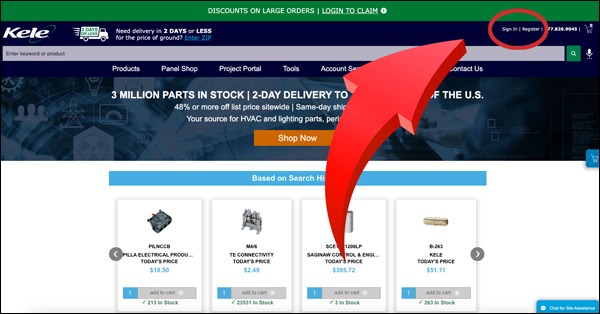
Log in or Register
Log in or Register for an online account to unlock a multitude of online features like:
- See your price negotiated just for you.
- See your large volume discounts as you add items to your cart when ordering on kele.com, and see how far you are from your next big discount. Note: These discounts do not apply to Kele parts available via iPortal.
- Use our Project Portal to upload an entire BOM, and save it for future orders.
- Save parts as favorites using the heart emoji; access them under the Saved Products tab on your account page.
- Track your order and see past orders on the Order History tab on your account page.
Search for Products
Use Search Bar to type in keywords or part numbers to go directly to the part you need.
OR
Click “Shop Now” on our home page and use our new robust Search Engine to select specifications for the part you need. Watch the video at right to learn more.
Product Pages
- Download Catalog Pages & Product Datasheets for Submittals, located just below the product image on product pages.
- If logged in, you can save parts as favorites to find later using the heart emoji. To find your favorite parts, go to “My Account” and click the Saved Products tab.
- See price, real-time inventory status, and lead time on parts you need.
Online Tools
- Recommendations for alternate parts if the part you need is not in stock.
- Track Orders – go to My Account and click the Order Tracking tab.
- Project Portal – Upload your entire BOM for easy ordering, and save for later.
- Label Wizard – Create and order customized labels.
- View or download our Line Card.
Technical Knowledge
Stay updated on industry knowledge with:
- Hundreds of searchable Tech Articles
- Q&A from customers like you From the Field
Contact Us
Visit our Contact Page for links to chat with a Kele rep, start a return, or set up a new log-in to kele.com.
Sign in or Register for an online account to unlock a multitude of features.
Add items to your cart to see how far away you are from your next discount!


